"Stop Making Noise About Ads Not Showing!" - Web Monitoring System Development Story
About 5 months after joining a team without a server developer as their server developer. I am the cost-conscious person in our team.
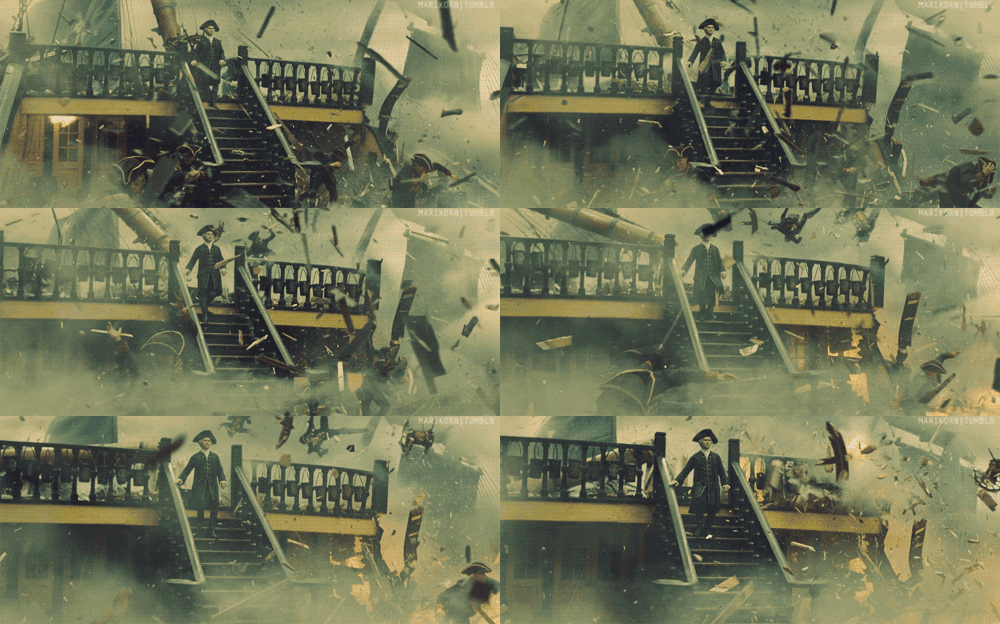
My reaction when I discover unnecessary spending
"Manager, if you use it that way, the monthly cost will be this much, but if we do it this way, the cost will be around this, so maybe we could try a different approach..."
"Ah, that costs too much... How about this type of architecture.." and so on.
While looking at various cost-related metrics, I discovered an interesting metric.
Me: Ad revenue dropped significantly on this day?Person in charge: There was a major ad server outage that night, and we responded late, so we couldn't serve many morning ads.Me: Oh, I see..
I've always enjoyed automating such monitoring, and an interesting thought occurred to me.
Me: It seems like there are probably many big and small outages. If we monitor these, we might get some interesting data. And the faster we notify them, the faster they can respond..
So I formed a hypothesis and started developing a web monitoring system.
Defining Requirements
-
I want to catch issues where ad placements aren't being displayed due to external service (ad agency) errors
-
Wouldn't it be nice to monitor external services (like Tistory) too?
-
While we're at it, let's monitor our own services as well
How to Detect Problems?
I pondered on what methodology to use to detect when ads aren't being displayed or when a site is abnormal.
Here are the methods I thought of:
(1) Image Similarity Comparison
Method: Compare the similarity of the entire website image.
Advantage: You can truly verify if it looks exactly the same as before.
Disadvantages:
-
Cases where it's truly identical to before are surprisingly rare, and timing issues can cause false positives (banner areas & network issues)
-
There's a high possibility of becoming the "boy who cried wolf"
-
For ads, you don't even know what image will appear.
-
You need to periodically scrape images.
(2) Overall Color Distribution Ratio
Method: Get the RGB distribution ratio from the captured image, and notify when a specific color (white) ratio becomes higher than before
Advantage: This method is suitable for ads (in 99.99% of cases where ads aren't displayed, it will be a white space.)
Disadvantages:
-
When there are major site changes, there's a possibility of false positives.
-
Although low probability, there's a chance detection fails if other colors cover it up.
Taking Screenshots
While thinking about how to get images, I decided to use the Selenium + Python module that I used in the 'Dark History Archive' project before.
If you're interested, search for 'your development language + Selenium' on Google
Taking Screenshots - Image is loadi... Click
One day, an alarm suddenly went off.
An image was uploaded, but the photo was taken while the image was still being downloaded.
In my case, I looked at the 'document.ready' status and waited for a specific DOM to be created before processing,
but due to server issues or temporary network issues on the check client, the photo was taken and the detection logic ran while the image was still loading.
I temporarily solved this problem by adjusting the existing timeout value,
and the operations team said 'Isn't slow loading also a problem?' so it passed (It's not a bug, it's a feature),
but I need to fundamentally think about a solution.
Taking Screenshots - Ads aren't showing on a specific browser!
I originally wrote code that only works on Chrome Browser.. One day, this issue came in.
Today there was an issue where ads weren't displaying on IE, but the ad monitoring didn't detect it :(
When I made the 'Dark History Archive' in the past, I had the mindset of 'as long as I take the image, that's all that matters'
and only supported Chrome.. To solve this requirement, I changed it so that it works by just injecting the browser implementations provided by Selenium.
There was one issue with IEDriver.. but I'll cover that in another post.
Image Similarity Comparison Method (1) Rolling Images - What About Your Similarity?
First, this method targeted general websites.
We monitored everything from sites we made to services using external services.
Initially, it seemed to work quite successfully.
(If this kind of comment doesn't come out here, it wouldn't be fun) However..

As expected from the beginning, timing issues started to appear.
When comparing after the browser rendering was truly complete, those ad areas or internal rolling image areas started causing problems.
So we decided to boldly ignore those parts.
For parts checked by this method, we decided to delete specific DIVs from the DOM before taking the photo.
Will we ignore this part then?
No. We compensated by detecting it differently through the white space detection system explained next.
Image Similarity Comparison Method (2) The site design has changed..?!
One day while getting through the days after finishing issue (1), an alarm went off from an unusual place.
Upon debugging, I found that UX changes had partially been made to the site being monitored.
Of course, since they always proceeded without telling anyone,
I wasn't notified separately, and that's why the alarm went off.
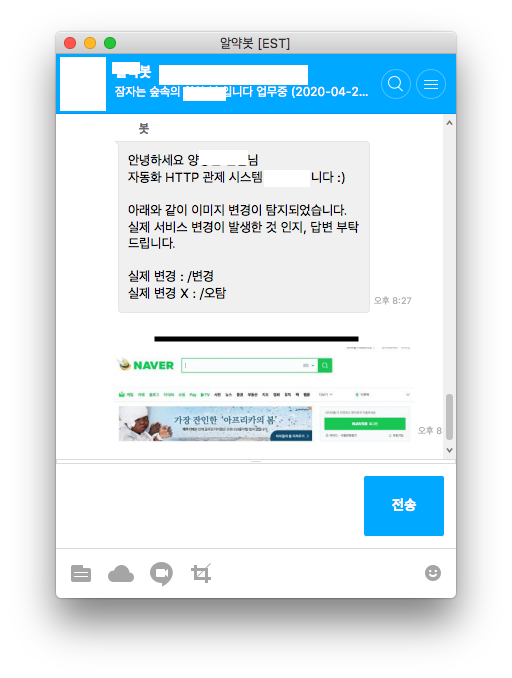
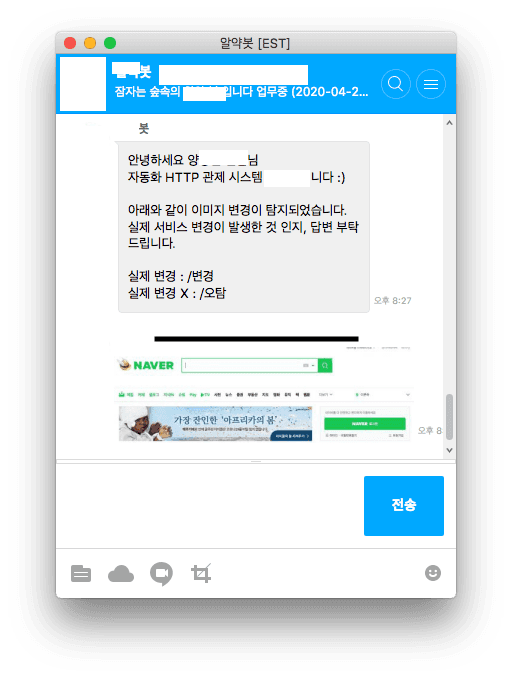
These problems were handled by taking original images periodically once a day, and when changes exceeded the set threshold, asking the site manager through a bot whether changes were made.
Overall Color Distribution Ratio
Overall Color Distribution Ratio (1) - Catch the White Space!
Now let's try detecting using the second method: color distribution ratio.
This method designates a specific area of the screenshot, then detects by checking how colors are distributed in that area.
If we think about it carefully, could 99.99% of the color be white in an area where ads should appear..?
I believe that case is 100% a failure situation.
(If there's not enough ad inventory, they should rotate to internal ads or something. Having a white space show up is wrong, I thought.)
Overall Color Distribution Ratio (2) - Catching the Weakness of the 'Image Similarity Method'
The weakness of the image similarity method was that changing images were acting as noise in the similarity values.
Although I deleted those areas and compared similarity.. I started having this concern:
What if those areas are important?
At the same time, I formed the hypothesis that in most such cases it would be images, and we could determine whether they "show" or "don't show".
So before deleting those image areas, I saved a separate capture and ran a separate color distribution check, which caught the weakness of the 'image similarity method'.
Wrapping Up
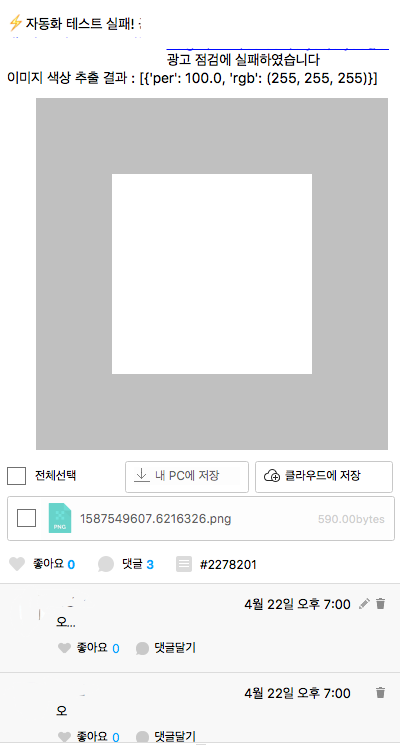
After introducing the system, I found that there were quite a lot of problems occurring with ad placements.
Through this, when external web service failures occurred,
we now had evidence showing from what time to what time the failure occurred for vendors who always made excuses.
Also, when problems occur, the operations team can now switch to a maintenance page or backup ads.
I really hate what's commonly called 'human intelligence' or in slang 'manual labor'.
I have the philosophy that we should automate what can be automated and do more important work.
For ads, which are the revenue itself of B2C services, we can now determine 'whether there's non-exposure due to errors',
and check if the site is fine after major maintenance.
There have been some operational inconveniences while operating for about a month, but I plan to gradually improve those.
Next Episode Preview?
Actually, due to a lack of operational staff, I end up making these checks myself.
Next time, I'll introduce a service I created and use for automated API monitoring.