[Home Network] No Ads in My House: DNS Ad Blocker
![[Home Network] No Ads in My House: DNS Ad Blocker](/_next/image?url=%2Fimages%2Fposts%2Fpost-33%2Fcover.jpg&w=3840&q=75)
There are no ads in my house.
All ads are blocked - whether they're on websites or within various apps.
Even the guest network that my friends use has all ads blocked, providing a pleasant internet experience.
How It Works
I use a service called Adguard Home.
I installed it on a separate Linux server.
Instead of using the ISP's DNS (168.126.63.1, 168.126.63.2), I configured my router's DHCP to route traffic to my private DNS server,
which responds with 0.0.0.0 for ad domains (like displayad.kakao.com), preventing communication with them.
Installation
docker run --name adguardhome
--restart always
-v /usr/local/adguardhome:/opt/adguardhome/conf
--net=host
-d adguard/adguardhome
This runs in Docker host mode, so there will be issues if ports 80, 443, or 53 are already in use.
If necessary, use port forwarding mode. I chose HOST mode for performance reasons.
http://{ServerIP}:3000/
Once Docker is started, access the path above to complete the basic installation.
After configuring the upstream DNS server and admin account, access the following path:
http://{ServerIP}:80/login.html
DNS Block List
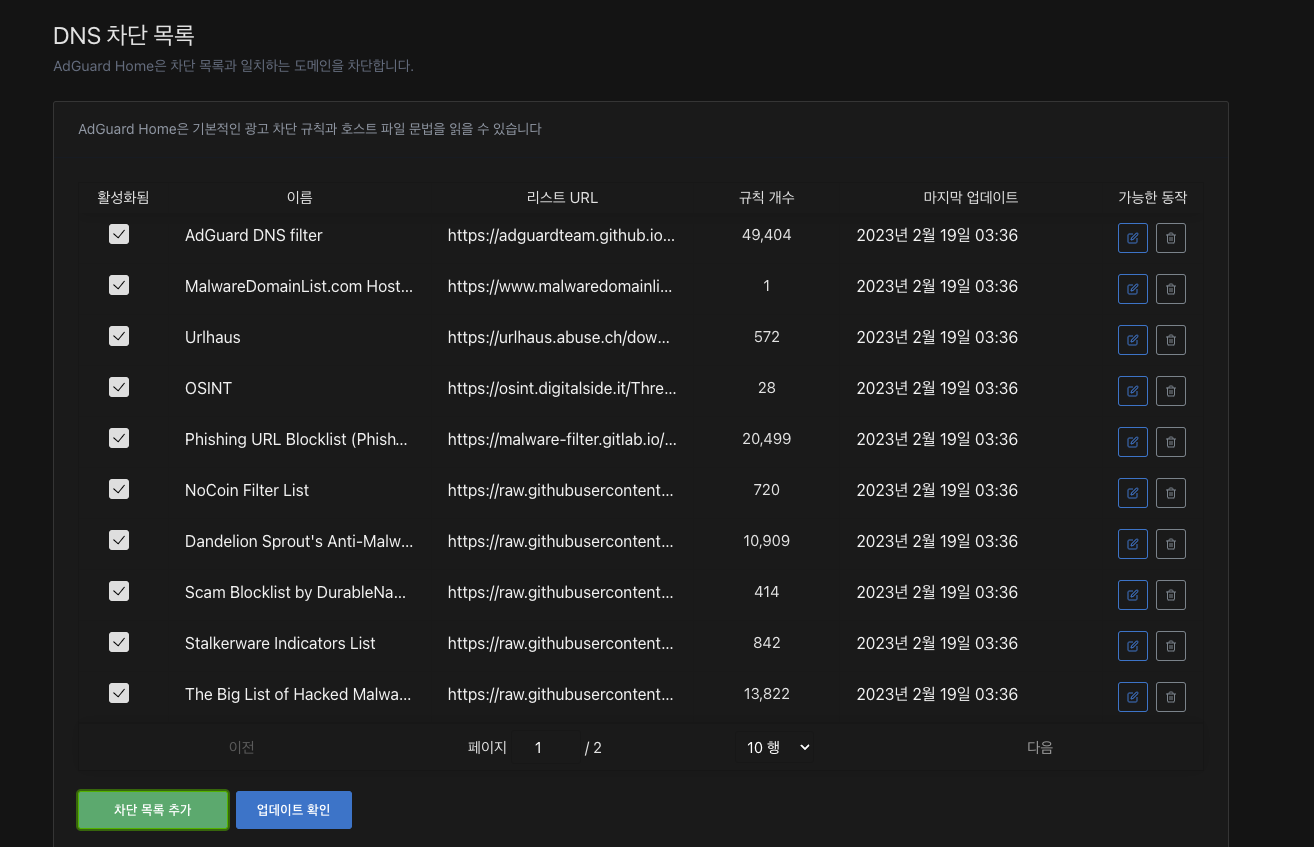
Navigate to Filters -> DNS Blocklists from the top menu to reach this page.
I'm using the Adguard DNS Filter List along with various security-related DNS blocklists.
You can add blocklists from the "Add blocklist" button in the bottom right. I'll share only the security-related policies I've customized:
Name URL Purpose Notes
UrlHaus https://urlhaus.abuse.ch/downloads/hostfile/ A site that updates various malware distribution sources
OSINT
https://osint.digitalside.it/Threat-Intel/lists/latestdomains.txt Malicious domains shared by security experts worldwide
Phishing Sites
https://malware-filter.gitlab.io/malware-filter/phishing-filter-agh.txt Blocks fake phishing sites that look like KakaoTalk login pages
Results
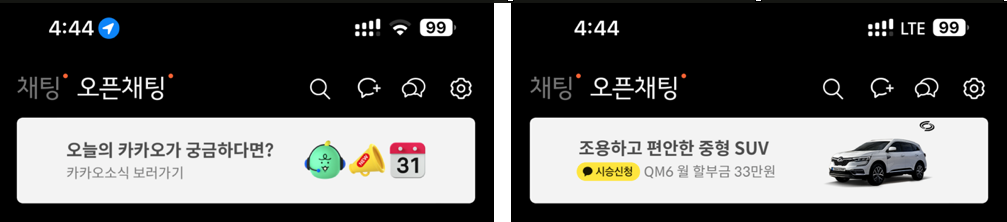
KakaoTalk
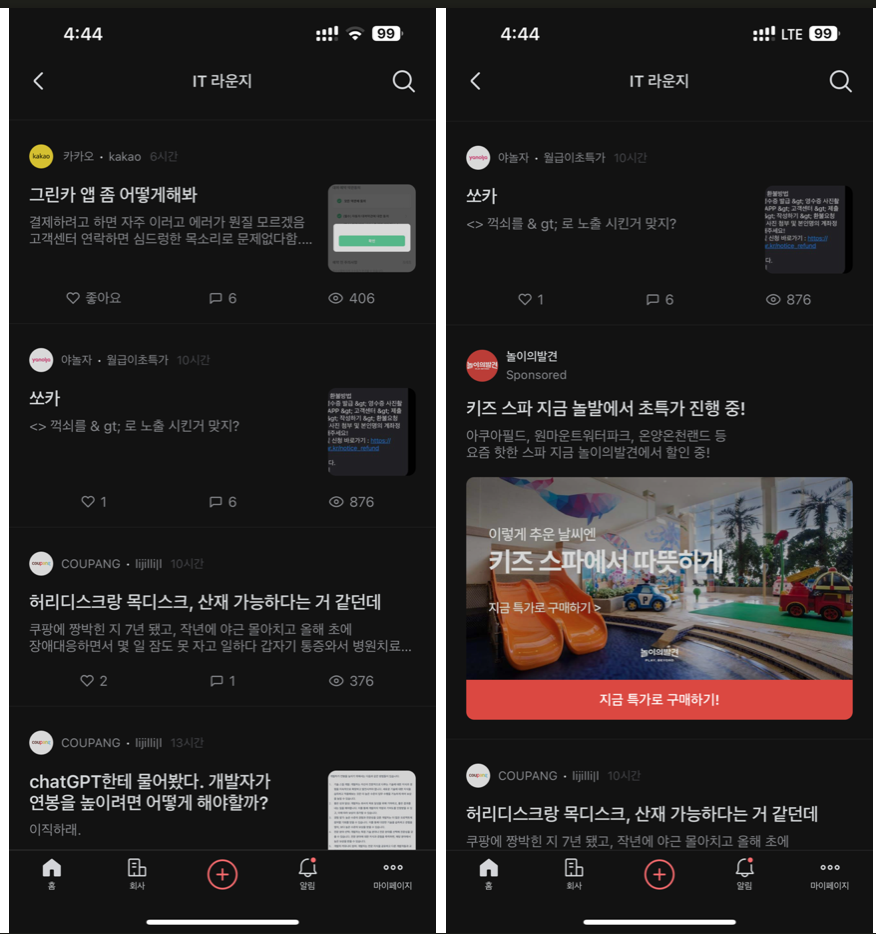
Blind
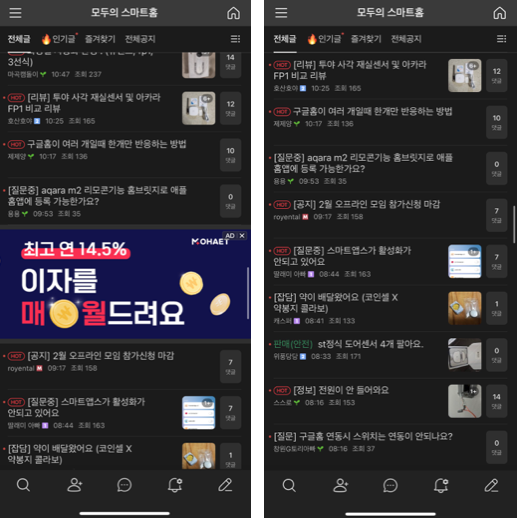
Naver Cafe
Conclusion
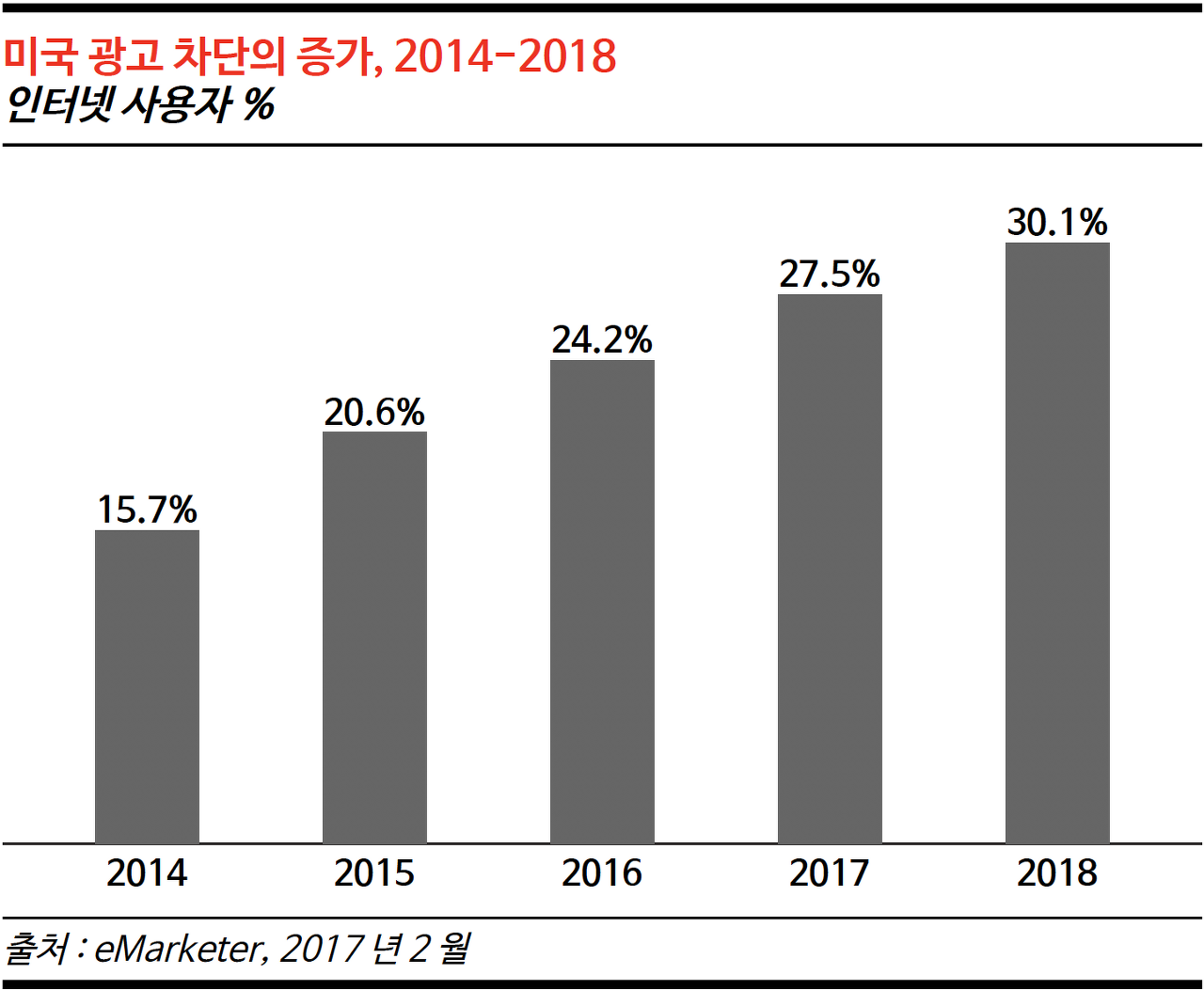
Many people probably use browser extensions to block ads.
However, few people block ads at the app level.
To ramble a bit about why I blocked ads: recently, due to declining profitability,
more and more apps are plastering ads everywhere, ruining the user experience.
Even the community apps I frequently use have claimed "UX improvements" recently,
but they've just crammed in tons of ads, actually degrading the experience. I've heard many people are rolling back to older versions.
I understand that apps need ads to survive, but the reason I implemented DNS-level ad blocking is
because there have been too many low-quality adult ads appearing lately.
For these apps, I sometimes feel conflicted about going to the trouble of using DNS filtering to block ads.
When you look at ad platforms, adult ads have the highest rates, so from an administrator's perspective, it's understandable, but from a user's perspective, there are just too many cringe-worthy ads appearing.