Why Just Throwing Docs at AI and Saying 'Do It' Never Works
Same AI, different results — why? The one difference that turned my teammate's half-day struggle into a 30-second fix.

Introduction
After introducing AI coding tools to my team, I noticed something interesting. Same AI, completely different results depending on who's using it.
One of my teammates was assigned to integrate our internal storage API. This API was tricky. The authentication method was unusual, multipart upload required a complex signing process, and the error response format was non-standard. It wasn't the kind of task that works on the first try, even with full documentation.
My teammate handed all the docs to the AI and told it to implement. Code came out. Naturally, it didn't work on the first attempt. And that's where the problems began.
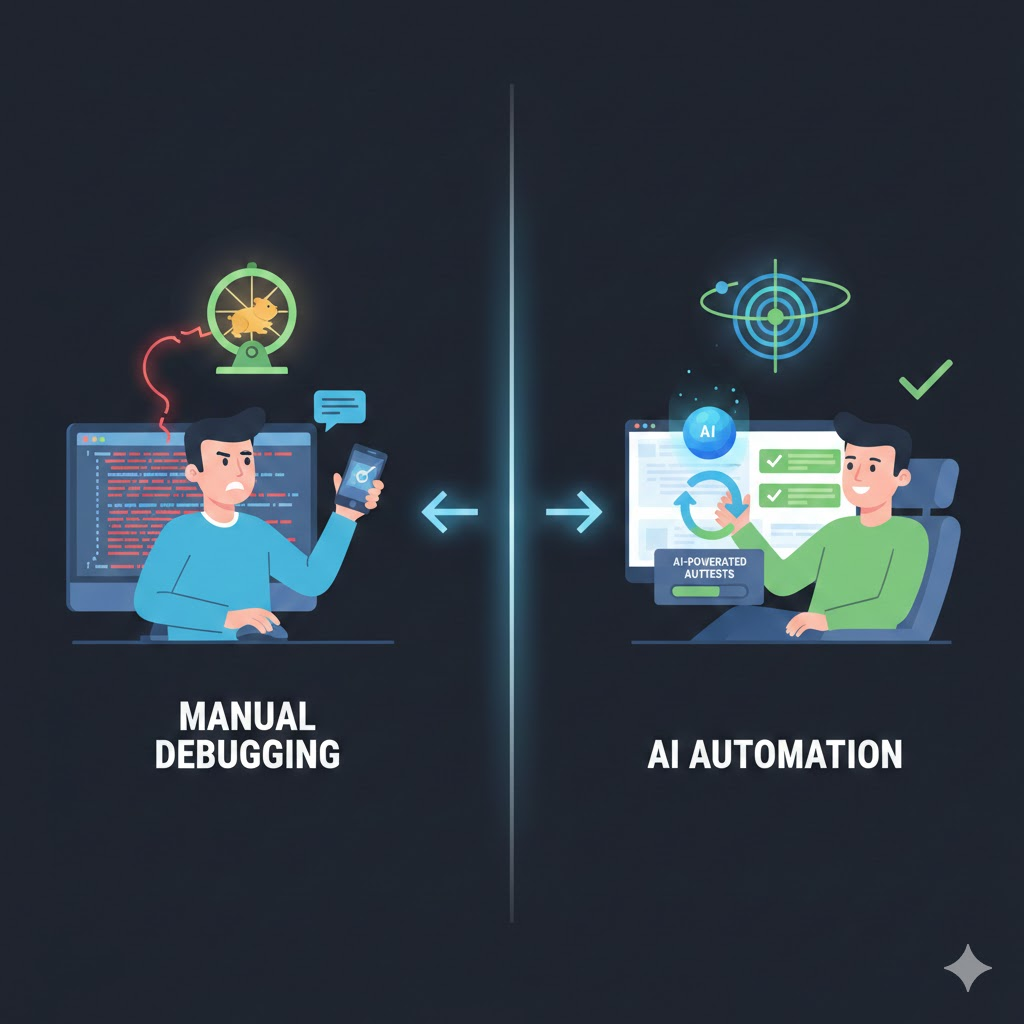 image-2026-02-17-175313
The Human-in-the-Loop Approach
Here's how my teammate was working:
1. Ask AI to implement
2. AI writes code
3. Human manually runs the app to test
4. Failure → copy the error log
5. Paste error log to AI and ask for fix
6. AI fixes
7. Back to step 3...
At first glance, this seems reasonable. AI writes code, human verifies, fix and repeat. But there's a critical bottleneck in this approach. The human is inside the loop.
Every time the AI modifies code, the human has to build the app, run it, call the API, check the response, find the error log, copy it, and pass it back to the AI. Each cycle takes 5–10 minutes. Do this ten times and half your day is gone.
But there's an even bigger problem. The moment a human misreads a log, passes an irrelevant log, or misses the key error message, the AI starts fixing in the wrong direction. Accurately relaying debugging information is itself a skill, and for a teammate still new to AI-assisted development, it wasn't easy.
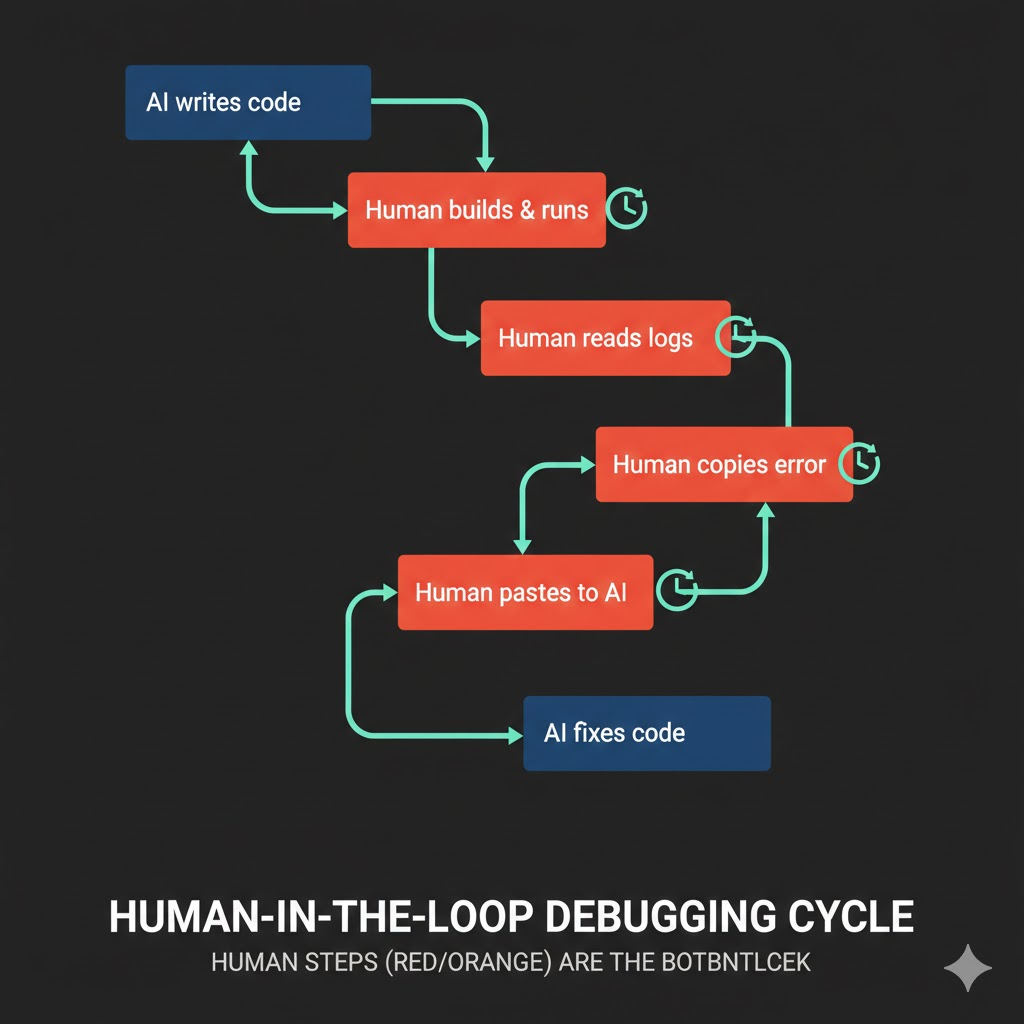 image-2026-02-17-175305
Letting the AI Run the Loop
Watching from the side, I suggested a different approach.
1. Ask AI to implement + write test code
2. AI writes code
3. AI runs JUnit tests itself
4. Failure → AI reads error logs directly
5. AI fixes on its own
6. Back to step 3... (until tests pass)
See the difference? The human is out of the loop.
Instead of telling the AI "write code that uploads files to the storage API," you say "write code that uploads files to the storage API, create JUnit tests to verify the upload actually works, and keep iterating until the tests pass."
This way, the AI fixes code, runs tests, reads logs on failure, fixes again, and reruns tests — all on its own. Each cycle takes less than 30 seconds. What took 5–10 minutes with a human in the loop finishes in seconds when the AI does it alone.
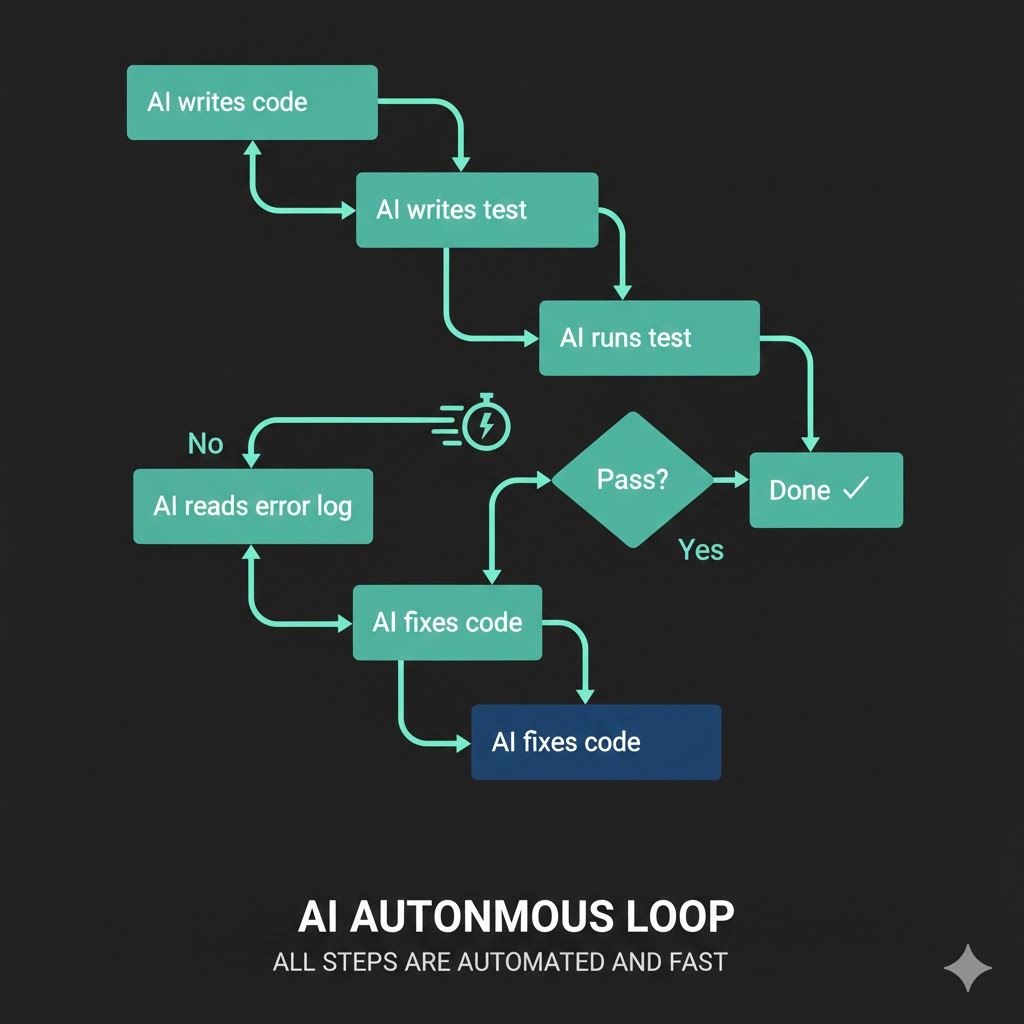 image-2026-02-17-175345
The Key Is a 'Verifiable Goal'
Here's the core point.
The most important thing when delegating work to AI is giving it a clear goal that it can evaluate as "done" or "not done" on its own.
"Integrate the storage API" is not a goal. From the AI's perspective, the moment it writes code, it considers the job done. Whether it compiles or not, whether the API call succeeds or fails — the AI has no way to know if its code actually works. So it hands the result back to the human and moves on.
But "upload a file to the storage API and make the JUnit test pass" is a verifiable goal. The AI can run the test and check whether it gets a green or red result. Red means not done. Green means done.
| Vague instruction | Clear goal | |
|---|---|---|
| Instruction | "Integrate the storage API" | "Implement storage API upload and make tests pass" |
| AI's success criteria | None (code written = done) | Test pass/fail |
| On failure | Human must intervene | AI retries on its own |
| Loop speed | 5–10 min/cycle (human included) | 30 sec/cycle (AI only) |
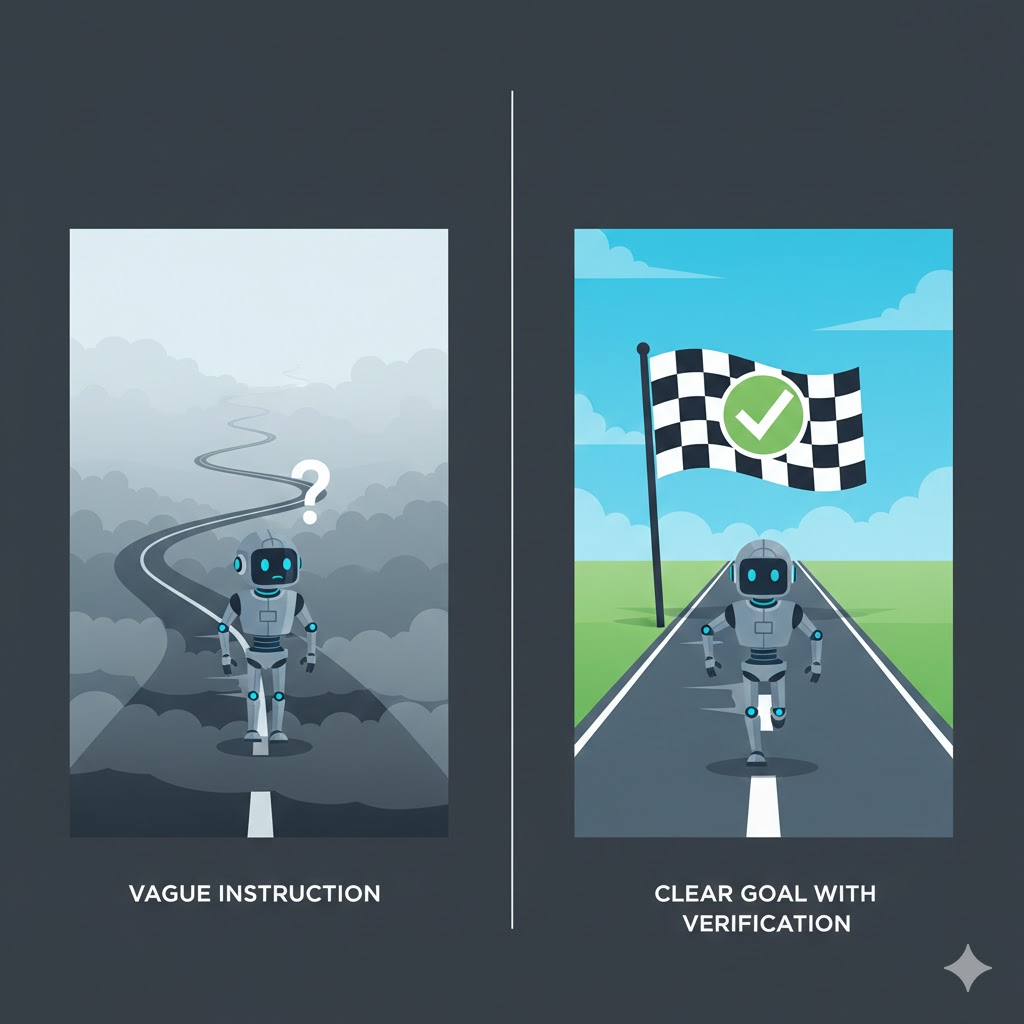 image-2026-02-17-175421
The Industry Calls This the "Ralph Loop"
This approach has already established itself as a paradigm in the industry. It's called the Ralph Loop.
Named after Ralph Wiggum from The Simpsons — the character who keeps failing but never gives up. The idea is to make AI agents just as persistent.
The core structure is surprisingly simple:
while :; do
  cat PROMPT.md | claude-code --continue
done
When the AI stops thinking it's done, an external script re-injects the prompt. The AI reads the file system and Git history to continue where it left off. Infinite repetition until an objective completion criterion is met.
This is the fundamental difference from the traditional ReAct (Reasoning + Acting) pattern:
| ReAct | Ralph Loop | |
|---|---|---|
| Termination | AI decides it's "good enough" | Objective criteria met (e.g., tests pass) |
| Risk | AI may terminate prematurely | Forced to repeat if criteria not met |
| Feedback | In-session context only | File system & Git-based external state |
What I suggested to my teammate was essentially a miniature version of the Ralph Loop. "Keep going until JUnit tests pass" is just another way of saying "loop until objective criteria are satisfied."
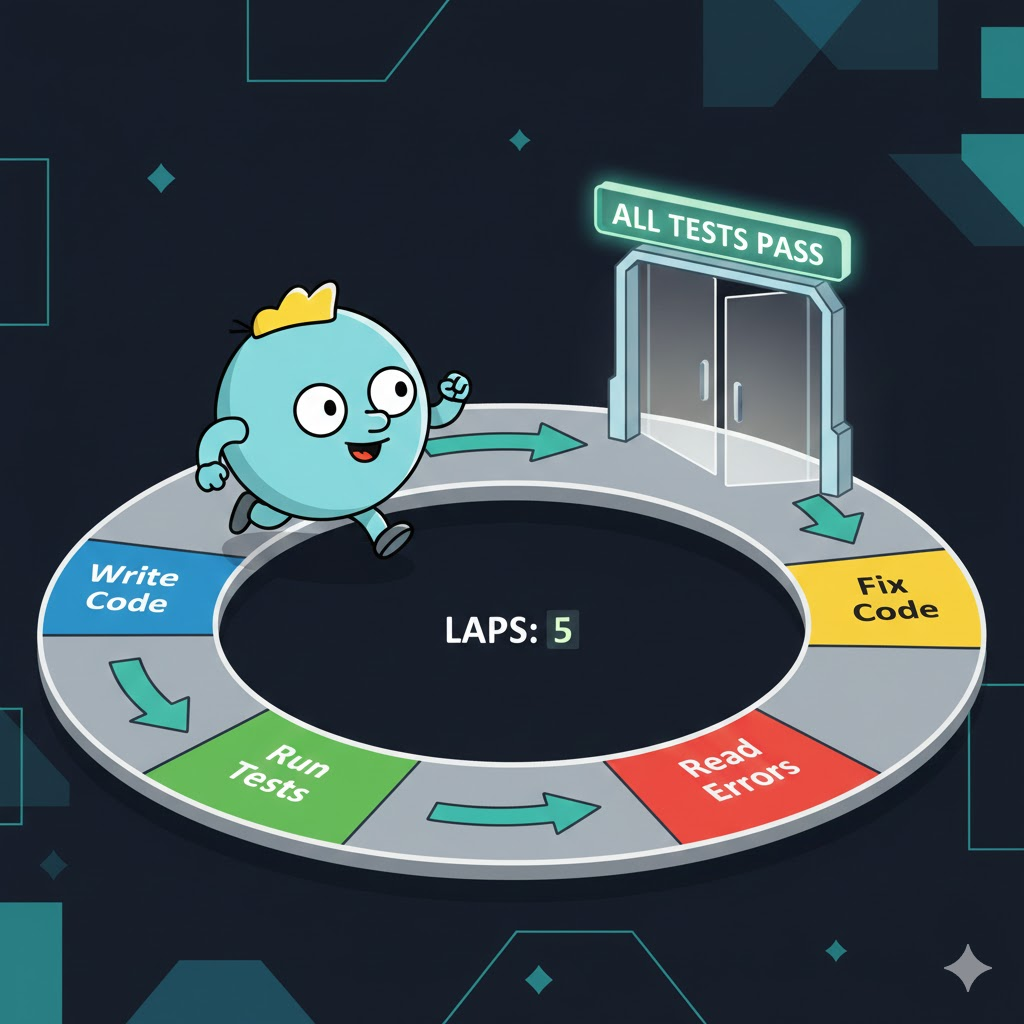 image-2026-02-17-175448
This Isn't Just About Writing Tests
Don't misunderstand. This isn't a "write test code" story. It's about giving AI a feedback loop so it can determine completion on its own.
Test code is just one means. Depending on the situation, it can take different forms:
- API integration: JUnit tests verifying actual API call results
- UI work: "Open http://localhost:3000 in a browser, take a screenshot, and verify the layout is correct"
- Data pipelines: "Assert that query results match expected values"
- Infrastructure setup: "Call the health check endpoint with curl and verify you get a 200"
The common thread: a concrete verification method that the AI can execute directly to determine success or failure.
Practical Prompt Comparison
Enough theory. Let's compare how to actually give instructions.
Before: Vague instruction
Here's our internal storage API documentation. Implement the file upload feature.
[API docs attached]
The AI reads the docs and writes code. Done. No idea if it works.
After: Verifiable goal
Here's our internal storage API documentation. Implement the file upload feature.
[API docs attached]

After implementation, you must:
1. Write JUnit tests that test actual file upload via the API
2. After upload, verify success by querying the file list
3. Keep modifying code and retrying until tests pass
4. Consider it done only when all tests are green
Same AI, same docs, same task. Only the instruction style changed, and the results are completely different.
This Isn't Just About AI
In fact, this applies to delegating work to humans too.
Tell a junior developer "integrate the storage API," and they'll write code and report "done." But tell them "integrate the storage API, make the tests pass, confirm actual upload works on staging, and then report back," and they'll debug and verify everything before coming to you.
Clear completion criteria drive autonomous problem-solving. Whether it's AI or humans.
The difference is that this works far more dramatically with AI. A human can say "I tried but it's not working." An AI without a verification loop doesn't even know it's broken — it just says "done."
Going Further: Agent Teams
If you extend this loop concept further, you arrive at the recently trending Agent Teams pattern. With Claude Code, for example, multiple agent instances form a team where one implements features, another writes tests, and yet another does code review.
Anthropic actually built a Rust-based C compiler using a team of 16 agents that successfully compiled the Linux kernel. 2,000 sessions, 100,000 lines of code. The core principle was the same: each agent had a verifiable goal — "the Linux kernel must build."
But agent teams are the next chapter. What matters right now is embedding verification loops even in single AI conversations.
Conclusion
It boils down to this:
- Don't tell AI to "do it" — tell it to "make it work"
- Give it a verification method so it can determine "done" on its own
- Don't put yourself in the loop. Let the AI run the loop
The industry calls this the Ralph Loop, and at scale it becomes agent teams. But the fancy names don't matter. AI tools keep getting better, but even the best tools are a waste of time without a clear goal. Giving AI a clear objective. That's why the same AI produces different results for different people.