Running Cron on Your AI Bot Is Burning Money
Let N8N handle scheduling and data collection. Only wake OpenClaw when you actually need AI.
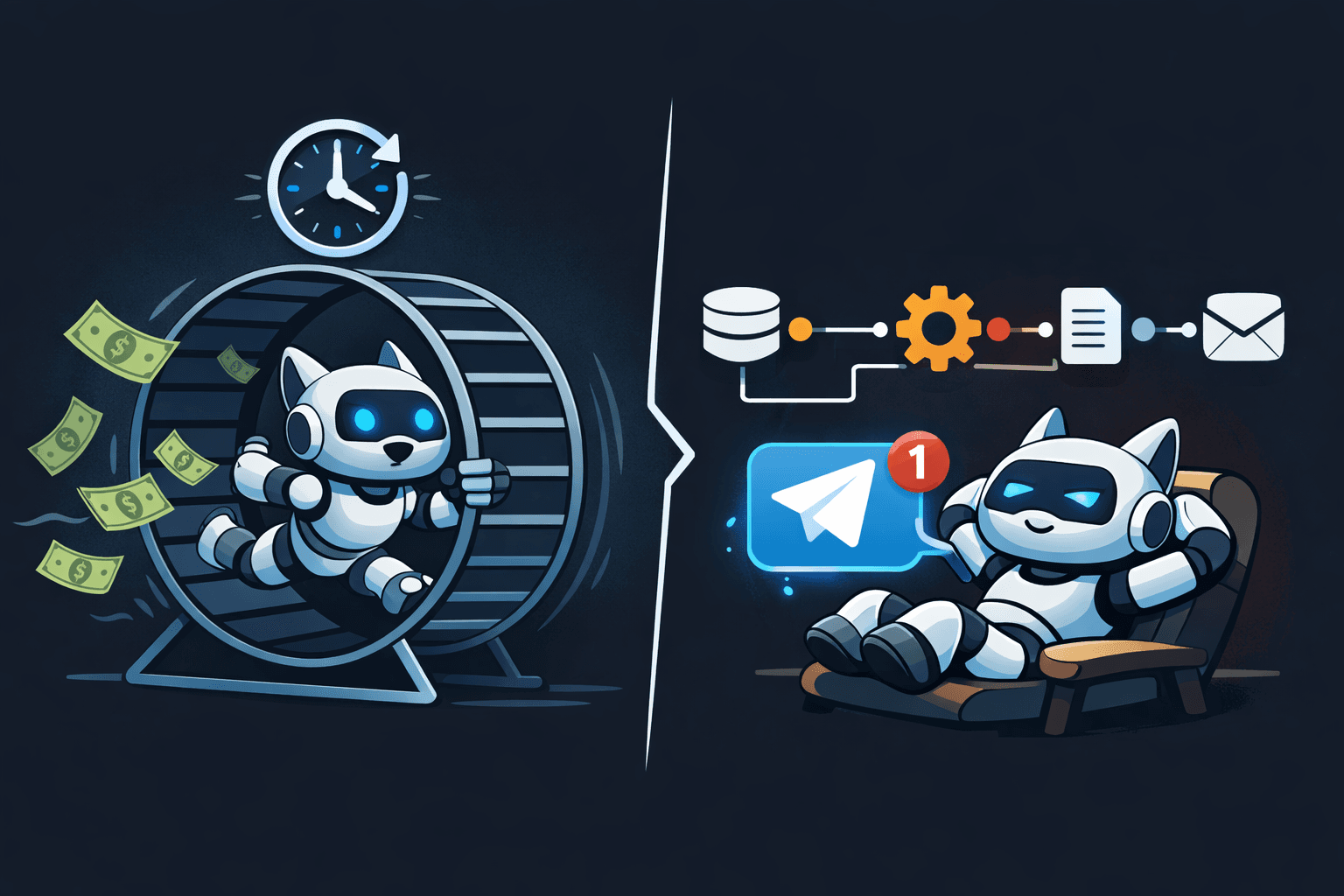
Have You Calculated How Much Each Cron Run Costs
OpenClaw is my Telegram AI bot. It runs on the Claude API — send it a message, it responds. It can execute skills and handle conversations.
I had cron jobs set up on it. Daily news briefings, scheduled alerts, weekly summaries.
Here's what happens every time a cron triggers:
Every day 09:00 → OpenClaw cron fires → Claude API call → Collect news + summarize + send
Does collecting news require AI? No. You just scrape RSS feeds and format them. Does sending a formatted message to Telegram require AI? No. A template is enough.
But every cron execution calls the Claude API. Input tokens, output tokens — all billed. Once a day means 30 times a month. Add other scheduled tasks and you're looking at dozens of AI API calls per month spent on scraping RSS feeds.
It's like telling Park Ji-sung to play in a third-division league. You've got a Champions League finalist warming the bench at a Sunday pickup game. AI exists to reason and judge — not to do the grunt work of scraping RSS feeds.
That's burning money.
What Is N8N
N8N is an open-source workflow automation tool. Think Zapier or Make, but self-hosted. Deploy it on your K8s cluster and it runs at zero additional cost.
You build workflows by connecting nodes — schedule triggers, HTTP requests, data transformations, conditional branches, external API calls. Drag and drop in a GUI.
The key idea: N8N handles scheduling and data collection for free. OpenClaw only wakes up when AI is actually needed.
Architecture Change: Before vs After
Before — OpenClaw Does Everything
[Cron Trigger] → [OpenClaw Execution] → [Claude API Call]
                                          ├── Collect news
                                          ├── Generate summary
                                          └── Send to Telegram

Cost: Full AI API token consumption per execution
After — N8N + OpenClaw Division of Labor
[N8N Schedule Trigger] → [RSS/API Data Collection] → [Filter/Format]
    │
    ├── No AI needed → N8N sends directly to Telegram (free)
    │
    ├── Simple AI → N8N calls AI API directly (summaries, etc.)
    │
    └── Judgment needed → Telegram Send Message → OpenClaw reacts
Three tiers. Most things end at the N8N level. If you need a summary, N8N hits the AI API directly. The only time you wake OpenClaw is when human-level judgment is required.
News Briefing Workflow Example
Here's how the daily news briefing moved from OpenClaw cron to N8N.
When AI Isn't Needed
Most news briefings are covered by this alone.
[Schedule Trigger] → [RSS Feed Read] → [Filter/Dedup] → [Format Message] → [Telegram Send]
  Daily 09:00         News sources       Remove dupes     Markdown format    Send to chat
Read RSS feeds, filter duplicates, format the output, send to Telegram. Four or five N8N nodes. Zero AI API calls.
When AI Summary Is Needed
If you need not just collection but actual summarization, you still don't need to wake OpenClaw. Just call the AI API directly from N8N.
[Schedule Trigger] → [RSS Feed Read] → [Filter] → [AI API Call (Claude/OpenAI)]
  Daily 09:00         News sources       Dedup           ↓
                                                     [Generate Summary]
                                                        ↓
                                                     [Telegram Send]
                                                      Send to chat
N8N has an HTTP Request node. It can hit the Claude API or OpenAI API directly. Feed the collected news into a prompt, get a summary back, send it to Telegram. Done.
There's no reason to wake the entire OpenClaw bot just to get a summary. One AI API call inside the N8N workflow is enough. Token consumption is minimized too — N8N already collected and cleaned the data, so you only pass structured content to the AI.
Event-Driven Trigger Patterns
The same pattern applies to event-based triggers, not just schedules.
| Trigger | N8N Handles | AI Call Method |
|---|---|---|
| Daily news | RSS collect → format → send | None (no AI needed) |
| News summary briefing | RSS collect → filter | N8N calls AI API directly |
| Server alerts | Alertmanager → format → send | None (formatting only) |
| Weekly report | Data collection → aggregation | N8N calls AI API directly |
| Stock price crash | Price API monitoring → calculate drop % | Telegram → OpenClaw (buy decision) |
Most things end at the N8N level. If you need a summary, N8N calls the AI API directly — no need to wake OpenClaw.
So when do you use the Telegram trigger?
When human-level judgment is required. Like when a stock crashes.
[N8N Schedule] → [Stock Price API] → [Calculate Drop %] → Over 5% drop?
                                                              │
                                                        Yes ──┘
                                                              ↓
                                                 [Telegram Send Message]
                                                 "NVDA down -7.2%. Current price $xxx.
                                                  Considering recent earnings and market
                                                  conditions, is this a buy?"
                                                              ↓
                                                 [OpenClaw receives message]
                                                              ↓
                                                 [Context-aware AI analysis + judgment]
                                                              ↓
                                                 "Short-term bounce possible, but
                                                  given rate hike risks, recommend
                                                  DCA approach. Max 20% allocation."
N8N monitors the price feed and when conditions are met, it sends an analysis request to OpenClaw via Telegram. This isn't a simple summary — it's contextual judgment and decision-making. That's when OpenClaw earns its keep.
Summaries need one API call. "Should I buy now?" needs a conversation.
Adding N8N Skills to OpenClaw
The reverse direction matters too. When you want OpenClaw to manage N8N.
The key here: it's not about triggering existing workflows. It's about asking OpenClaw to create new automations for you.
User: "Set up an alert for when NVDA drops more than 5%"
OpenClaw: Creates N8N workflow via API
          → Schedule trigger (every 5 min)
          → Stock price API node
          → Drop % calculation node
          → Condition branch (≥5%)
          → Telegram Send node
OpenClaw: "Done. I'll check NVDA every 5 minutes and alert you on Telegram if it drops 5% or more."
You're setting up automations through conversation. No need to open the N8N GUI and wire nodes together — one message in Telegram and OpenClaw builds the workflow for you.
Grab the N8N skill from ClawHub. ClawHub is the OpenClaw skill marketplace, and the N8N integration skill is already available. Install it and OpenClaw can create, modify, and run N8N workflows out of the box.
Sure, you can also trigger existing workflows via HTTP webhooks. But the real value is in "build me this automation" and it just happens.
User: "Send me the top 10 HackerNews posts every morning at 9"
OpenClaw: Workflow created. Runs daily at 09:00.

User: "Add summaries to that"
OpenClaw: Workflow updated. Added an AI API call node.
OpenClaw designs the automation. N8N runs it. Instead of the AI running cron jobs itself, its role shifts to building the cron jobs. That's where the AI actually earns its keep.
Cost Comparison
| Task | Before (OpenClaw Cron) | After (N8N + OpenClaw) |
|---|---|---|
| News briefing (daily) | AI API × 30/month | N8N handles it (free) |
| Weekly report | AI API × 4/month | N8N collects, AI summarizes only × 4/month |
| Monitoring alerts | AI API × N/month | N8N formats and sends (free) |
| Event triggers | AI API × N/month | AI called only when needed |
It's not just the number of API calls that drops. Token count per call drops too. When collection and summarization happen in one shot, input tokens are heavy. When N8N handles collection, you only pass clean, structured data to the AI.
Summary
N8N:      Scheduling, data collection, filtering, formatting, sending, simple AI calls → Free (self-hosted)
OpenClaw: Context-aware judgment, conversational analysis, decision support            → Paid, only when judgment is needed
Telegram: N8N → OpenClaw trigger bridge
- Don't run cron on your AI bot — every scheduled execution costs API money
- Use N8N for workflows — self-hosted means zero additional cost
- Call AI API directly from N8N for summaries — no need to wake OpenClaw
- Only wake OpenClaw via Telegram when judgment is needed — stock buy decisions, not RSS summaries
- Get the N8N skill from ClawHub — no need to build it yourself
Use expensive resources for expensive tasks. There's no reason to burn Claude API tokens on RSS scraping.